Skip to content
WPLogout
  • GenerateBlocks
  • GeneratePress
  • Astra
  • Kadence
  • Optimization
  • Django
  • Deals

Astra Theme

WPAstra is one of the most popular WordPress Themes. Get the latest Astra Tutorials that help you to customize your blog.

How to Add Floating WhatsApp Button in Astra Theme?
Last Updated on: October 31, 2022 by Suraj Katwal
How to Add Floating WhatsApp Button in Astra Theme

Learn step by step process to add floating WhatsApp button in Astra Theme without any plugin. Also, style the button using CSS code.
Read More

How to Add Floating Social Sharing Buttons in Astra Theme?

Last Updated on: July 12, 2024 by Suraj Katwal
How to add floating social sharing buttons in Astra Theme

Learn to add floating social sharing buttons in Astra Theme without any plugin or JavaScript using pure CSS & PHP code.

Read More

How to Make Sidebar Sticky in Astra Theme (Last Widget)?

Last Updated on: November 7, 2022 by Suraj Katwal
How to make sidebar sticky in Astra Theme

Learn step by step process to make sidebar sticky in Astra Theme i.e. creating the last widget sticky without plugin & using plugins.
Read More

How to Add Last Updated Date in Astra Theme?

Last Updated on: May 14, 2024 by Suraj Katwal
Add Last Updated Date in Astra Theme

Learn to add last updated date in Astra Theme for your content, keeping your visitors informed about the freshness of your site’s information.

Read More

How to Insert Social Media Icons in Astra Theme without Plugin?

Last Updated on: November 1, 2024 by Suraj Katwal
Insert Social Media Icons in Astra Theme Without plugin

Read and Insert Social Media Icons in Astra Theme without Plugin. Learn to add social icons on the footer and sidebar using SVG Inline code.
Read More

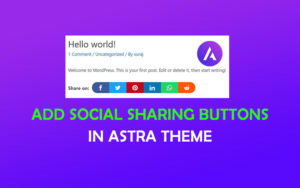
How to Add Social Sharing Buttons in Astra Theme without Plugin?

Last Updated on: November 20, 2021 by Suraj Katwal
How to Add Social Sharing Buttons in Astra Theme without Plugin

Read on how to Add Social Sharing Buttons in Astra Theme without any plugins. Build your custom sharing buttons using CSS & PHP code.

Read More

Older posts
Newer posts
← Previous Page1 Page2 Page3 Next →

Powerful WordPress Theme

The Ultimate Fast, Lightweight, and Customizable WordPress Theme. Build Websites Quickly.

Get GeneratePress One

Featured Posts

How to Create a Table of Contents in WordPress without plugin?

How to Host Google Analytics Locally in WordPress?

How to Host Google Fonts Locally in WordPress?

How to Add Reusable Block in WordPress?

How to Add FAQ Schema in WordPress?

WP Rocket Tutorial: Configure & Speed Up WordPress

Resources I Use

GeneratePress: The Fastest and Lightest WordPress Theme.

→ Read GeneratePress Review

GenerateBlocks: The lightweight WordPress Block to design a site.

→ Read GenerateBlocks Review

WP Rocket: Speed Up WordPress with the #1 WP Caching Plugin.

→ WP Rocket Settings

BunnyCDN: Supercharge your website with a lightning-fast CDN — the top choice for bloggers.

→ Read BunnyCDN Review

Cloudways: Speed up a website with Managed Cloud Hosting. (Use WPLOGOUT Coupon Code)

→ Read Cloudways Review

About WPLogout

WPLogout is a free website where you can find WordPress Tutorials, SEO, Blogging Tips & Social Media Articles For Beginners.

Deals & Discount

→ Get WP Rocket
→ Get GeneratePress
→ Get GenerateBlocks
→ Cloudways 25% OFF
→ BunnyCDN $5 Coupon

Important Links

→ Free SEO Tools
→ Cloudways Review
→ BunnyCDN Review
→ GeneratePress Review
→ GenerateBlocks Review

Navigate

→ About
→ Contact
→ Sitemap
→ Privacy Policy
→ Affiliate Disclosure

© 2026 WPLogout. Powered by Cloudways, WP Rocket & BunnyCDN • Built on GeneratePress & GenerateBlocks.